While we’re all home, it’s a great time to get some projects done around the house! I ran a brainstorming exercise with a friend, and it was both fun and inspiring.
This can be done on your own or with a partner (or more!) – we did it remotely using Figma. You can also use post-its and markers if you’re in-person.
Access the Figma Template – Open and duplicate to create your own editable file
Learn how to duplicate a Figma file
Outline:
1) Brainstorm ideas by category
2) Share and compare ideas
3) Mark the ones that are most important to you
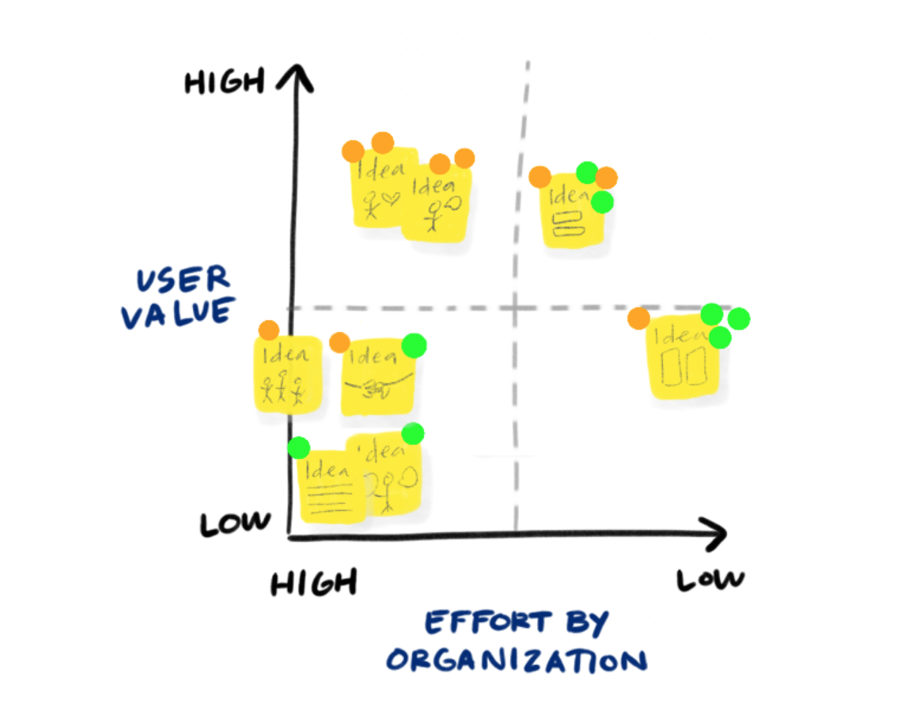
4) Sort into an Impact x Effort matrix
So get into the same room or same virtual call space as your brainstorming buddies
Brainstorming Format
Time: 3m per category
Announce the category, set a timer for 3 minutes, and you each brainstorm silently during that time. Write only one idea per post-it, and specifics are great. Use one color per category if possible. Big, small, all ideas are okay. There’s no editing. 🙂
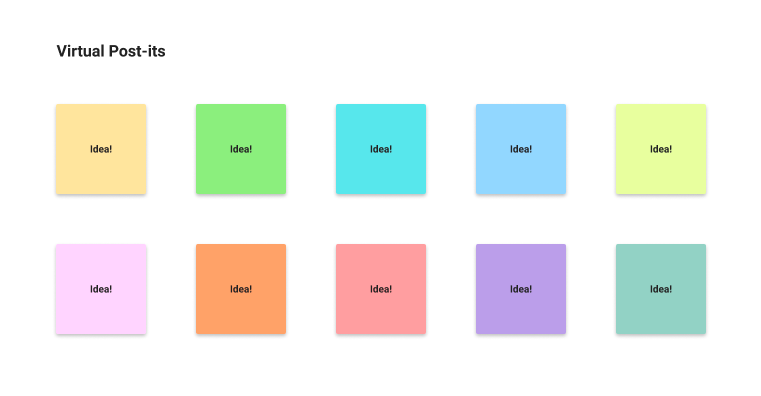
Categories
Here are some suggested categories! If you choose more than 6, it may be good to take a break in-between sessions. As the organizer, I liked to reveal the categories one at a time so people don’t get ahead of themselves.
- Home Improvement – Optimizing a workspace? Adding art to walls? Tasks you’ve been putting off? Anything you can do to improve the space you’re in, either indoors or outdoors
- Family – This is a great time to connect or reconnect with family members. Zoom reunions, dinner calls, 1:1s with distant cousins 🙂
- Creative Projects – Sitting at home is a good time to think about hobbies or cultivating skills
- Health (physical / mental) – If this is too big a category, you can break it into two separate ones
- Finances – Not the most fun, but another good ‘housekeeping’ item to get done
- Social / Friends – There’s a ton of social zooms, think about which types of events give you the most benefit. It’s a great time to be intentional about your social interactions.
- Career – Bolstering your current one, building skills, or searching for jobs. And if you’re fine, considering what you can do to assist others
- Relationship – Improving your current relationship or searching for a new one! Covid doesn’t put the stops on all channels.
- Helping others / world – There’s so much opportunity to donate or contribute to a lot of causes to help others during this time
Share & Inspire
Review everything you came up with! I like to add a star or dot to ideas that I think are important. Share your ideas with your brainstorming partners, one category at a time. If their ideas inspire you, feel free to add some post-its.
Prioritizing Ideas
I like to use an Effort x Impact matrix, but any format that helps your prioritize ideas is a good one. Low Effort, High Effort, Low Impact, High Impact. I duplicate and drag my top ideas into the appropriate quadrants. This step can be quite revealing and help you pick a few things to focus on. Generally, start with Low Effort High Impact, and don’t do the Low Impact items.
That’s it! I hope you have some fun coming up with creative ideas.
Resources
Access the Figma Template – Open and duplicate to create your own editable file
Learn how to duplicate a Figma file
Matrix illustration from Nielson group.
 👩🏻 Connie Yang
Leave a comment